
What is stopping you from being perfect?
There is one thing about me that I’ve been struggling to classify, whether it’s a bug or a feature – my constant striving for quality. I wouldn’t go as far as calling it perfection, but it’s pretty damn close.
It has been part of me from the very young age. I remember my father being annoyed with me as a kid, when I was painting the fence too slowly, making sure that every square millimeter was covered with paint; or as a teenager, when I was doing the body-work of our old BMW, spending the whole day on just one line to go perfectly straight through the doors and the fender. During my PhD I would often have a sleepless night before a meeting, spending hours on my slides, making sure that everything is aligned, the key words are emphasized and the colours match.
So to an external observer this would qualify as perfectionism. And the common wisdom about perfectionism is that it’s a bad thing. It’s usually linked to procrastination and has been reflected in several well-known expressions:
- “Perfection is the enemy of progress“ – Winston Churchill
- “Perfect is the enemy of good“ – Voltaire
While I do acknowledge the objective fact that perfectionism prevents you from getting things done, I don’t see it as black-and-white. In this article I want to argue that the opposite of perfection is no better than perfection itself, and my main point is the following:
With today’s proliferation of AI, your target should be much closer to perfection than before. Otherwise you will drown in the sea of mediocrity.
Anatomy of content creation
My father is an artist, and I remember this wooden sculpture of a dolphin that he was teaching me how to make, when I was around 7 years old. I’d spend the whole day doing it, and it wasn’t nearly as good as my father’s version.
The whole process had very distinct stages, each taking a different fraction of time:
- draw a sketch in 1:1 scale (5%)
- transfer it to a piece of wood using carbon paper (1%)
- cut the contour out using a saw (4%)
- carve away the rest, creating the proper 3D shape (80%)
- smoothen the surface with sanding paper (7%)
- polish the surface and let it dry (3%).
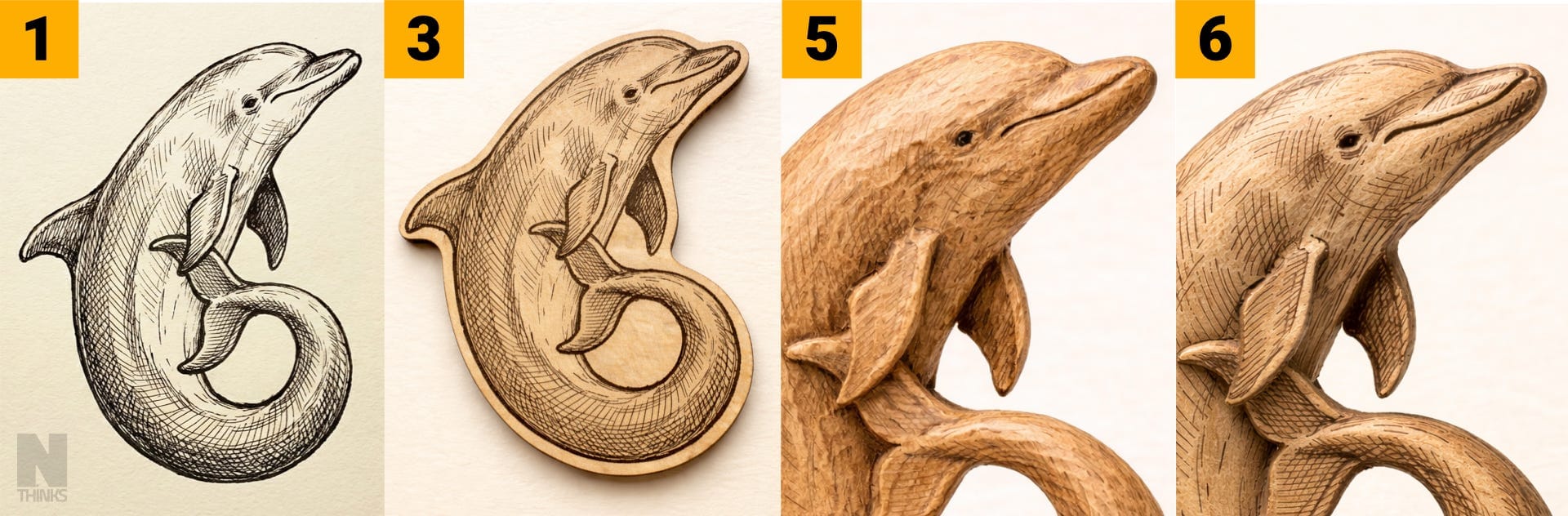
At every stage you can tell that it’s a dolphin, yet every new step adds finer details, making it look closer to the final result. What is particularly important is that the last bit of sanding and polishing took about 10% of the time, while the most labour-intensive part of carving the wood took 80%.
A similar distribution of time and effort I’ve seen in pretty much any type of content creation, being it photography, video editing, blog writing or designing a presentation. A big chunk of effort goes into creating the main rough part, and then a smaller chunk goes into polishing it – similar to what the Pareto principle postulates.
Importance of perfection
I don’t see perfection as an absolute measure. I see it as a level relative to one’s abilities. For instance, when I was editing the first skating video for my YouTube channel it took me about 4 hours. It was the first time using a new software, where I had to learn new concepts, new techniques, new shortcuts, all while reading documentation and watching video tutorials.
My fifth video still took me a few hours to make. Despite having the previous experience that should make it faster, the level of quality I wanted to reach had now gone up as well. Instead of simply stitching together several videos with some background music I now played with slow motion and speed-ups, colour grading, video stabilization. In my later videos I would add another camera with a different angle and frame rate, make it in tune with the music, add some graphics.
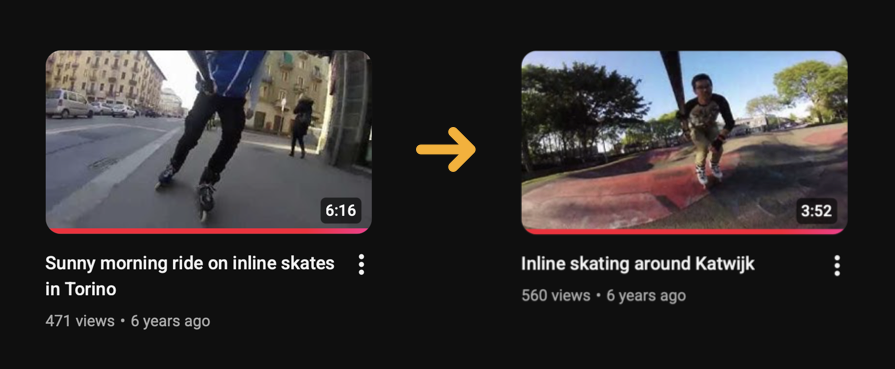
This progression was possible only because I’ve set the bar high enough relative to my baseline, pushing myself to learn something new each time. Just because I could finish in 30 minutes what used to take me 4 hours didn’t mean doing less work. It meant doing the same amount of work to get even better result, pushing my baseline higher every time.
What is important to note here is that the result was never really perfect in absolute terms. Even if I worked on a video for 10 hours there would still be something I knew could be done better. The point is to set the bar somewhere above the baseline every time. This is what gradually pushes the baseline up, closer and closer to absolute perfection.
Reference of perfection
To just get the feeling of where your baseline stands, you need a reference of perfection. And this cannot come from a tutorial, “X for Dummies“ book or from your teacher. It has to come from observing other creators, seeing what you like and what you don’t like, reading reviews about the work of others, deciding whether you agree with them or not. All this builds your own taste and ultimately – sets your own bar for perfection.
In the world of video-editing my perfection references came from movies, professional sports videos and creative ads – they’ve defined my taste and expectation of what a really good video is supposed to look like.
Same with photography, programming or even presentations – my definitions of perfection came from people whose work I liked, not just from practical textbooks or tutorials.
Lazy road to mediocrity
This algorithm of gradual improvement through repeated work has been disrupted by AI tools in pretty much every category of content creation. It can now write text, generate photorealistic pictures, edit videos, write code and create slides – all in a matter of seconds. This allows you to skip the huge chunk of work that used to go into creation of something. The question is:
What chunk of work will you keep to yourself?
It’s very tempting to let AI quickly do its job and move on, seeing its output as a finished product. And that’s what most people do, because most people are lazy. The problem is that your work becomes as far from perfection as everyone else’s, or in other words – mediocre. And that’s the trap you should try to avoid.
I think the best way to illustrate this is by comparing the quality vs effort distribution between a bare human and a human with AI.
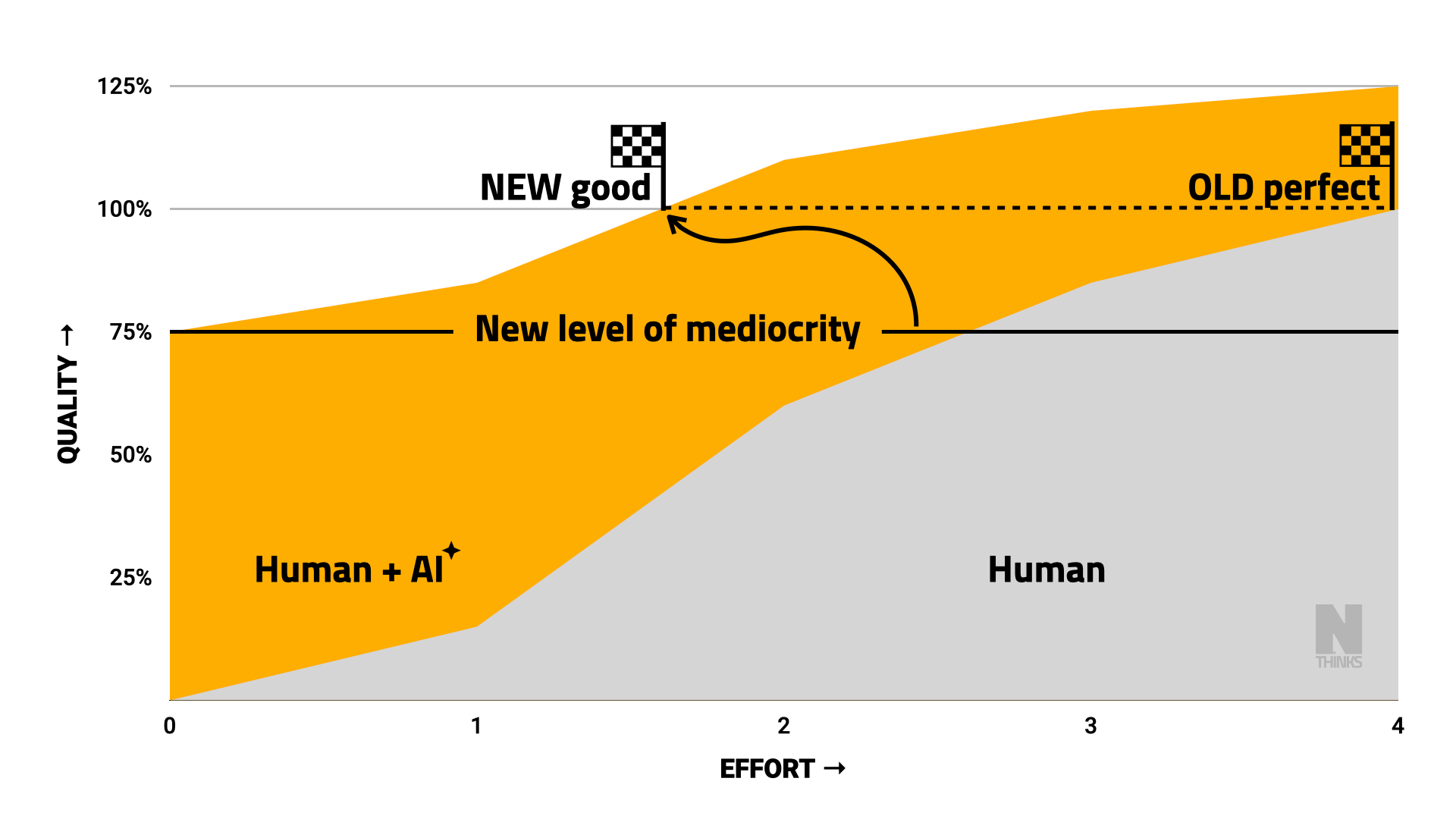
Without AI you continuously work on your project, gradually making it better and better. This process is naturally slow and smooth, which allows you to keep going until you reach your level of perfection.
With AI you get a result of decent quality right away, which makes it harder to keep going towards the same level of perfection. Another hour of your work seems to add too little value on top of what AI produced in seconds, so it’s harder to justify the extra effort.
Don’t skip the polish
I want to argue that the extra effort is worth it, potentially even more than before. While AI raised the bar of mediocre quality, it also made it accessible to pretty much everyone. But one thing hasn’t changed – to stand out, you still have to be better than the majority of others.
It’s up to you whether you want to do it the old way – on your own, or the new way – with the help of AI. Either way your quality level must be above the new level of mediocrity.
I have two examples that illustrate this quality gap quite vividly today (February 2026).
1. Video subtitles
In the past, when real humans were manually typing subtitles, their quality was definitely higher than it is now. The only common error would be a typo, which a simple spell-checker could easily fix. AI-based transcribers, on the other hand, can generate loads of subtitles very quickly, making the process way more efficient. But AI often makes mistakes that a human would never make, like confusing words that sound the same but mean different things (two/too/to, they/there/they’re), using wrong punctuation that changes meaning or even misspelling your own name. Especially rare names and foreign words are often turned to something completely different simply because it sounds more familiar in English.
Without any automation you would spend maybe 30 minutes on subtitles for a 10-minute video, manually typing the text, adding line breaks, adjusting timestamps. With automation you can now get subtitles that are 97% as good in just a few seconds. So you‘ve saved yourself 30 minutes of work thanks to this great technology. What do you do with that free time now?
Well, you could spend 6 minutes rewatching your video at 2X speed and fixing the remaining 3% that contain mistakes. That would make these subtitles as perfect as in the old days, while still being 5 times faster. Or you can just leave them at this mediocre 97% level and move on to another video. The vast majority of creators clearly choose the 2nd option.
Automatic transcription has dramatically increased the amount of generated subtitles – pretty much every video now has one. But it decreased the level of quality in those subtitles, making it practically impossible to find a single video that wouldn’t have at least one spelling mistake. And it’s not the AI’s fault. It’s the creator’s fault, who chose quantity over quality.
I assure you that people watching videos with captions do notice those 3% with spelling mistakes. And while 3% is numerically insignificant compared to 100% of all the transcribed words, it is infinitely huge compared to 0% of mistakes that a perfect transcription would have.
2. Infographics
Many people have suddenly started adding infographics to their writing as a visual illustration of their ideas. Normally designing an infographic would take some 10-20 minutes at least, while now you can simply ask AI to generate a visual representation of what you’ve already written. And the quality of such infographics is often absolutely terrible.
The whole point of an infographic is to make your message more clear and easier to understand. It uses visual features like position, colour, shape and size to represent hierarchy, connections, sequences and dependencies in a way that words do not allow.
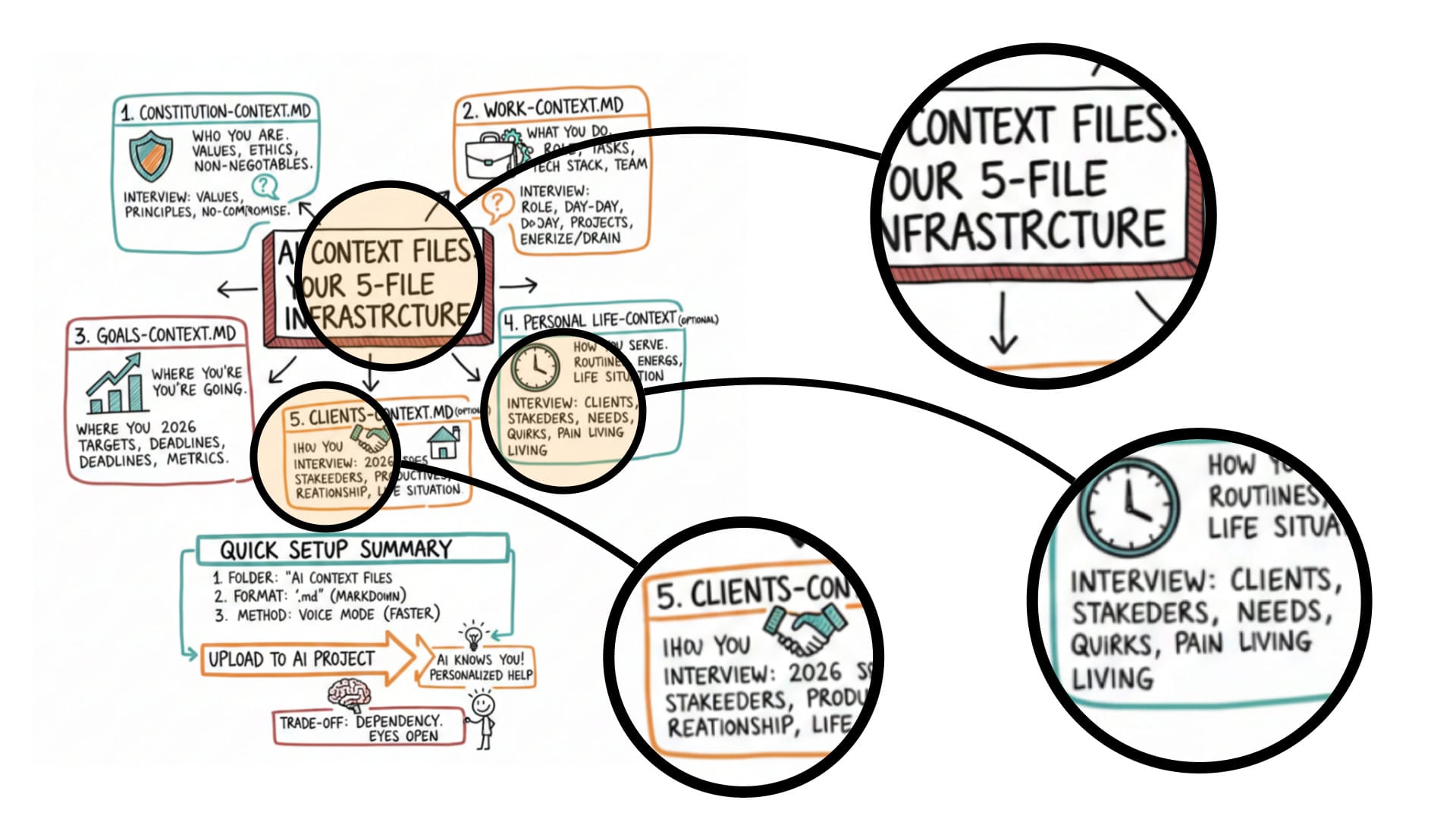
Have a look at this example of an AI-generated infographic. From far away it looks like something decent, but if you look closer, you’ll notice some trivial spelling mistakes that a human would never make.
Just a few that I’ve spotted: INFRASTRCTURE, IHOU, STAKEEDERS, STAKEDERS, REATIONSHIP, ROUTIINES, LIVING LIVING
Besides, an infographic generated from text by definition cannot add anything new to it. It simply summarises what’s already in the text, it doesn’t complement it in any way. This defies the purpose of making the infographic in the first place, let alone when it contains mistakes.
Like typing subtitles, it takes time to draw individual boxes, fill them with text, arrange and connect them in a meaningful way. So AI does save a lot of effort by generating it all in a few seconds. But should you really not spend a few extra minutes to correct the spelling mistakes? I think you should.
In fact, if just typing the words with correct spelling is too much effort for you, then it’s probably a bad infographic to begin with, because an infographic must be primarily visual, not textual.
A tool, not a worker
This brings me to my last point – you should see AI as a tool that you use, not as a worker that does your job. In any piece of content that you create, AI should speed up some portion of your work, but not deliver the finished result as a whole. You still have to do the polishing yourself.
In this respect I want to emphasize the aspect of AI tools that is often overlooked – does its workflow provide enough areas for you to intervene? This can be a sophisticated user interface in the tool itself, tight integration with external products or simply an output format that can be opened in another software, where you can do the polishing. If all you get is the finished result ready for consumers, it’s probably not the right tool.
For instance, I’ve seen people using Gamma to generate presentations from large documents in seconds. And like with subtitles or infographics, from far away it looks like a decent slide deck. But if you look closer, you notice details that go against basic rules of composition and layout: boxes of different dimensions not aligned, line breaks in random places, lines too thin and so on. Its interface is designed to create content as quickly as possible, leaving very limited control over its appearance.
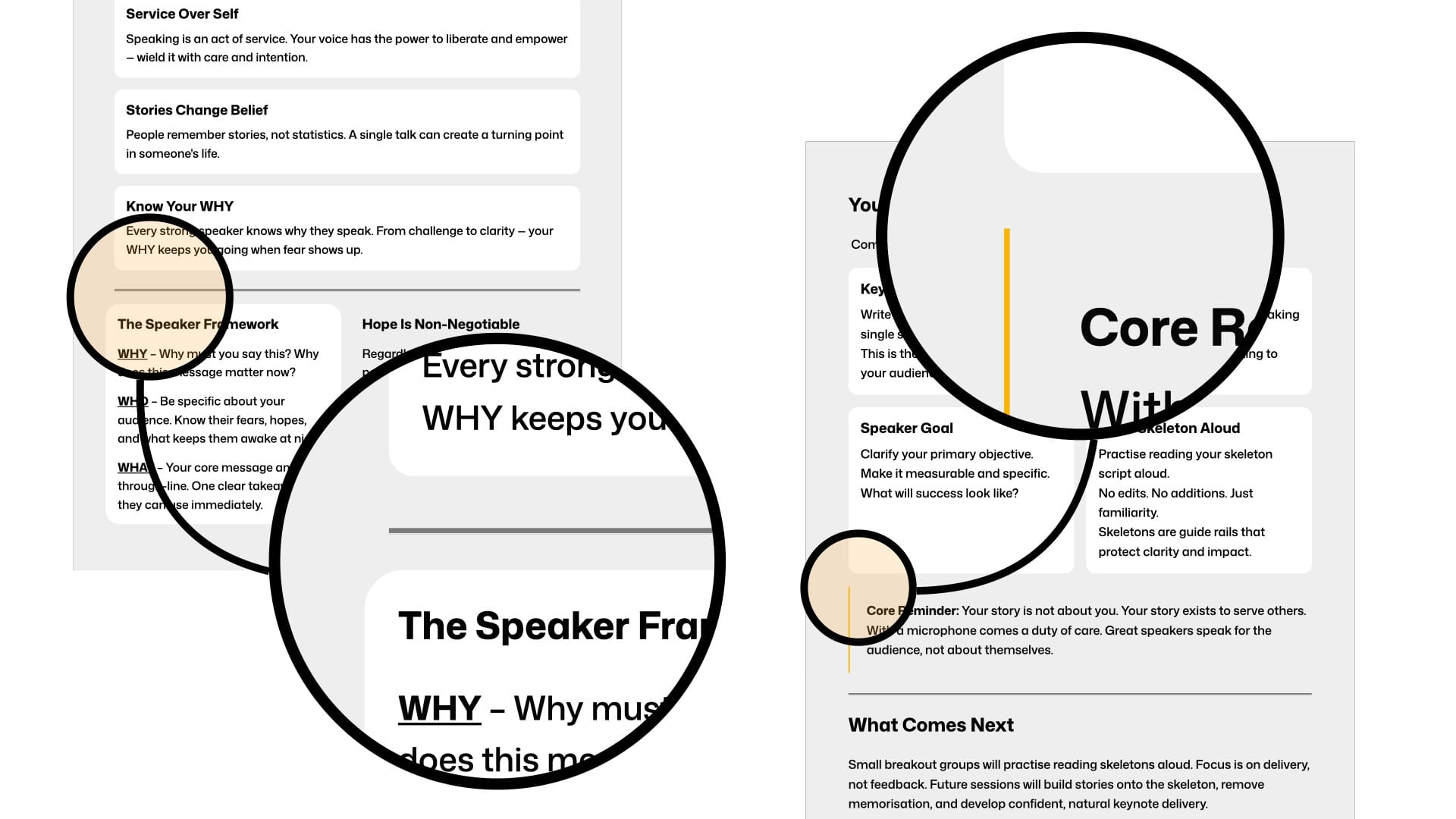
Other established apps like Apple Keynote, Microsoft Powerpoint or Google Slides have these very basic controls as the foundation – positions and margins of text boxes, width and colour of lines. Gamma would have been a perfect tool if it had those controls hidden in some Advanced controls tab, but it doesn’t. So sometimes the most viral AI tool that everyone’s using might be exactly the one to stay away from. I personally can only use it for internal prototyping and testing ideas, but not for a real presentation facing the outside world. That’s just not the level of perfection I’m comfortable with.
To be fair, Gamma does have the “Export to Powerpoint” option, which in principle allows you to do the polishing there. But I find the user interface of Powerpoint unnecessarily over-complicated and not user-friendly at all, so only after Keynote appears in the list of Export options will I seriously consider it as part of my workflow.
It’s even worse with infographics from the earlier example. A human-made infographic will have each box, each line and each text as an individual object in the document, making it trivial to fix a typo, highlight a word or change the colour of an arrow. All these features at the core of the visual power of an infographic take just a few clicks and a couple of seconds to implement. But if you generated it in ChatGPT as a JPEG image, you’d have to spend minutes on back-and-forth conversations to make those changes, and the result would still be slightly different from what you wanted.
In this respect I see a lot of potential in the Anthropic’s approach with their Claude ecosystem. They provide an interface for their AI models to directly control the tools like Excel and Powerpoint or virtually anything else through their Skills feature. Letting AI do its work using the same tools as you is a really effective way to cooperate without compromising on quality. Software developers have been enjoying this level to the large extent with things like GitHub Copilot extension in VSCode or dedicated editors like Cursor, and I hope this philosophy will expand across all the possible tools that people use.
Epilogue
Being mortal humans, time is a limited resource for us, so we have to choose wisely what to spend it on. Therefore, it’s important to understand which aspects of your content systematically contribute to its core value, and which ones are occasional add-ons.
For instance, the photorealistic dolphin images from the beginning of this article I’ve generated with AI. It did the job of visually illustrating my point, but it has plenty of factual mistakes. In the actual sculpture the tail of the dolphin was bent in the other direction, the wooden slab was much thicker, and the polished version had no black sketchy lines on it. Yet this is the best I’ve managed to achieve in a few minutes of conversational AI instructions.
I would say its quality level is below 70%, which is pretty bad for my standards. But at the same time, I don’t have enough skills in 3D rendering to do it quickly enough at a higher quality. And this kind of illustrations are very rare in the content I produce, so it’s pointless for me to invest much time into learning it either. So this is a compromise that I have to accept on this rare occasion.
In fact, explicitly mentioning it here further proves my point about the quality gap. Pretty smart, ha? 😏
Finally, most of my criticism about the degraded quality of AI-generated content is attached to the context of today. I have no doubt that AI will keep improving, raising the level of mediocrity higher and higher. So over time the amount of polishing that you can do will be getting smaller and smaller, and eventually it might be eliminated altogether. And from that moment the only way to stand out will be through the quality of your input to the AI. But as of now – it’s quite far from perfect, which leaves you plenty of rough edges to sand and polish.